Getting Started
Installation Colours Typography UtilitiesComponents
Alert Avatar Badge Button Card Drawer Grid Image Input Lists Navigation Modal Slider Rating ToastCards
Cards are a convenient means of displaying content composed of different types of objects. They are also well-suited for presenting similar objects whose size or supported actions can vary considerably, like photos with captions of variable length.
Card with text alone
card - The main class; has to be
used when the user wants to display a card; to be given for all
variation of cards; can be styled with other classes to give other
effects; has to be given to the parent div
card-title - Optional; to be
used when a title needs to be given
card-content - Optional; to be
used when a large chunk of text has to be given
Catan
Catan, is a multiplayer board game where players take on the roles of settlers, each attempting to build and develop holdings while trading and acquiring land and resources.
<div class="card">
    <h3 class="card-title">Catan</h3>
    <p class="card-content"> *content* </p>
</div>
Card with dismissible icon
btn-close - Optional; it's used
with an icon which closes the card; needs to be given when the card
should be dismissible
Ticket to Ride
Ticket to Ride is a cross-country train adventure where players collect cards of various types of train cars that enable them to claim railway routes connecting cities in various countries around the world.
<div class="card boxshadow-medium">
    <button class="btn-close">
        <span class="material-icons"> close </span>
    </button>
    <h3 class="card-title">Ticket to Ride</h3>
    <p class="card-content"> *content* </p>
</div>
Card with image
card-image-wrapper - Has to be
given to the wrapper div which has the image; this wrapper div is
exclusively for the image tag only and it is advised not to give any
other elements in this wrapper div

Splendor
Splendor is a game of chip-collecting and card development. Players are merchants trying to buy gems, transportation, shops - all in order to acquire the most prestige points.
<div class="card card-image">
    <div class="card-image-wrapper">
        <img
            class="img-responsive"
            src="https://m.media-amazon.com/images/I/8127PSclV9S._SL1500_.jpg"
        />
    </div>
    <h3 class="card-title">Splendor</h3>
    <p class="card-content"> *content* </p>
</div>
Social media card
card-header - Has to be given to
the wrapper div which has the avatar and the user name
card-header-text - Has to be
given to the tag which has the user name

Shakti Mohan
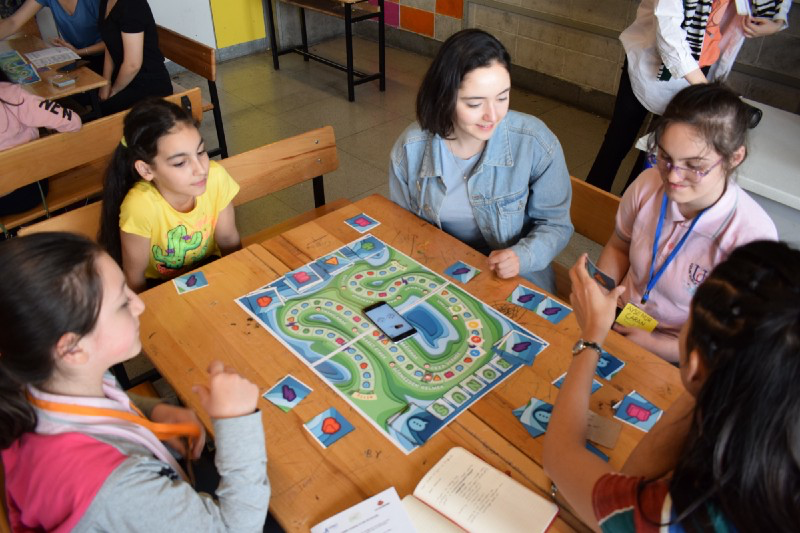
A day spent well with two things I love the most - playing board games, playing them with kids
<div class="card">
    <div class="card-header">
        <img
            class="avatar avatar-sm borderradius-full"
            src="https://i.ibb.co/Q64Rqtg/Shakti-Mohan-Pictures-641x1024.jpg"
            alt="avatar image"
        />
        <p class="card-header-text">Shakti Mohan</p>
    </div>
    <div class="card-image-wrapper">
        <img
            class="img-responsive"
            src="https://miro.medium.com/max/1400/1*AS9RB7wn_lsZFLJbQIm16w.png"
        />
    </div>
    <p class="card-content"> *content* </p>
</div>
Product card
card-product - Has to be given
to use the product card
card-product-details - This is a
wrapper div which has all the details of the product
card-product-favourite -
Optional; this is a wrapper div which can be given when the wishlist
functionality is being used; this contains the favourite icon
card-product-description -
Optional; this is given for a small 2-3 word description of the
product
card-product-price - Optional;
this is a wrapper div which contains the pricing structure
card-product-newprice -
Optional; this contains the new price of the product
card-product-actualprice -
Optional; this contains the actual price of the product incase the
new price is different from the actual price; it has a striked
through value
card-product-discount -
Optional; this contains the discount percentage if there is a
discount
card-button - This is a wrapper
div which contains the add to cart button and the share button
card-button-share - Optional;
this is a wrapper div which contains the share button
card-badge - Optional; has to be
given to print the badge text on top of the image
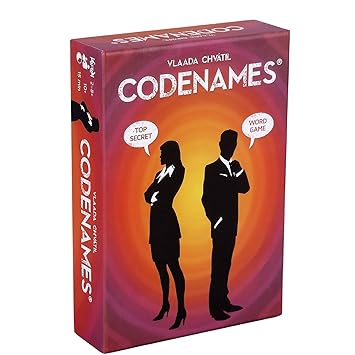
Codenames
Multiplayer witty game
<div class="card card-product">
    <div class="card-image-wrapper p-1"> /* p-1 to be given if padding needed around image */
        <img
            class="img-responsive"
            src="https://m.media-amazon.com/images/I/71qDTSDIN0L._SY355_.jpg"
        />
    </div>
    <span class="card-badge bg-primary color-white">Top 10 picks</span>
    <div class="card-product-details">
        <button class="card-product-favourite">
            <span class="material-icons"> favorite </span>
        </button>
        <h3 class="card-title">Codenames</h3>
        <p class="card-product-description">Multiplayer witty game</p>
        <div class="card-product-price">
            <span class="card-product-newprice">Rs.799</span>
            <span class="card-product-actualprice">Rs.1199</span>
            <span class="card-product-discount">30% off</span>
        </div>
    </div>
    <div class="card-button">
        <button class="btn bg-accent ls-1 color-black fs-1">ADD TO CART</button>
        <button class="card-button-share">
            <span class="material-icons"> share </span>
        </button>
    </div>
</div>
Overlay card
card-outofstock-overlay - Gives
a full overlay on the card
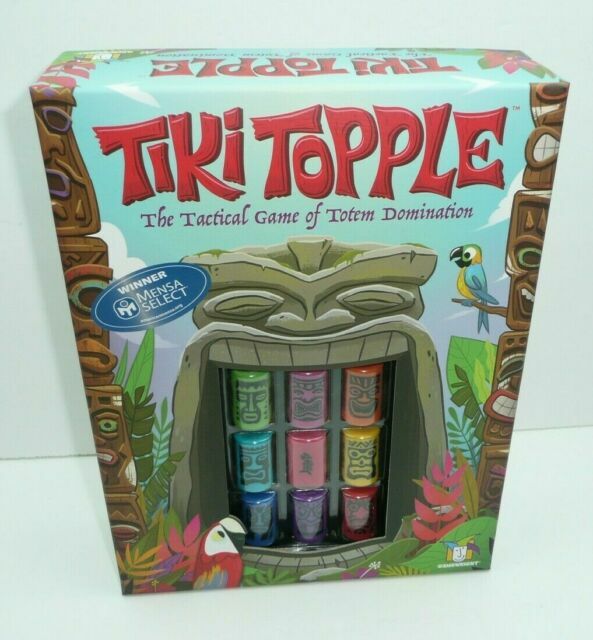
Tiki Topple
Fun light-heearted game
<div class="card card-product">
    <div class="card-image-wrapper">
        <img
            class="img-responsive"
            src="https://i.ebayimg.com/images/g/yf0AAOSwVjheTYSu/s-l640.jpg"
        />
    </div>
    <div class="card-product-details">
        <button class="card-product-favourite">
            <span class="material-icons"> favorite </span>
        </button>
        <h3 class="card-title">Tiki Topple</h3>
        <p class="card-product-description">Fun light-heearted game</p>
        <div class="card-product-price">
            <span class="card-product-newprice">Rs.1299</span>
            <span class="card-product-actualprice">Rs.1599</span>
            <span class="card-product-discount">18% off</span>
        </div>
    </div>
    <div class="card-button">
        <button class="btn bg-accent ls-1 color-black fs-1">ADD TO CART</button>
        <button class="card-button-share">
            <span class="material-icons"> share </span>
        </button>
        <div class="card-outofstock-overlay">
            <p>Out of stock ☹</p>
        </div>
    </div>
</div>
Horizontal Card
card-horizontal - Main class;
has to be given when the card needs to be horizontal; has limited
information; mostly used when the item is added to the cart
card-product-quantity - It is
the wrapper div which holds the quantity when the item is in the
cart
product-qty - Has the span tag
which contains the label
qty - Has a dropdown menu for
the number of items; user can select the quantity using this
/pic6339446.png)
Hanamikoji
Based on set collection
<div class="card-horizontal">
    <div class="card-image-wrapper">
        <img
            class="img-responsive"
            src="https://cf.geekdo-images.com/uiVZ7QVfRFQx3EBG8eDU8w__opengraph/img/XrCi7i4a7U0T5SORtna7w9QghYA=/fit-in/1200x630/filters:strip_icc()/pic6339446.png"
        />
    </div>
    <div class="card-product-details">
        <button class="btn-close">
            <span class="material-icons"> close </span>
        </button>
        <h3 class="card-title">Hanamikoji</h3>
        <p class="card-product-description">Based on set collection</p>
        <div class="card-product-price">
            <span class="card-product-newprice">Rs.1299</span>
            <span class="card-product-actualprice">Rs.1599</span>
            <span class="card-product-discount">18% off</span>
        </div>
        <div class="card-product-quantity">
            <span class="product-qty">Qty:</span>
            <select class="qty">
                <option value="1">1</option>
                <option value="2">2</option>
                <option value="3">3</option>
                <option value="4">4</option>
                <option value="5">5</option>
            </select>
        </div>
    </div>
</div>